
Anaemate Release Notes – 27 July 2026
This release includes new features, workflow enhancements and reliability improvements across the Dashboard and mobile app.
Follow Up Improvements
Dashboard Follow Up Improvements
An OOP Type filter has been added to Patient Payment Due on the Dashboard, allowing accounts to be filtered by Pre Pay or Post Pay.

Mobile Follow Up Management
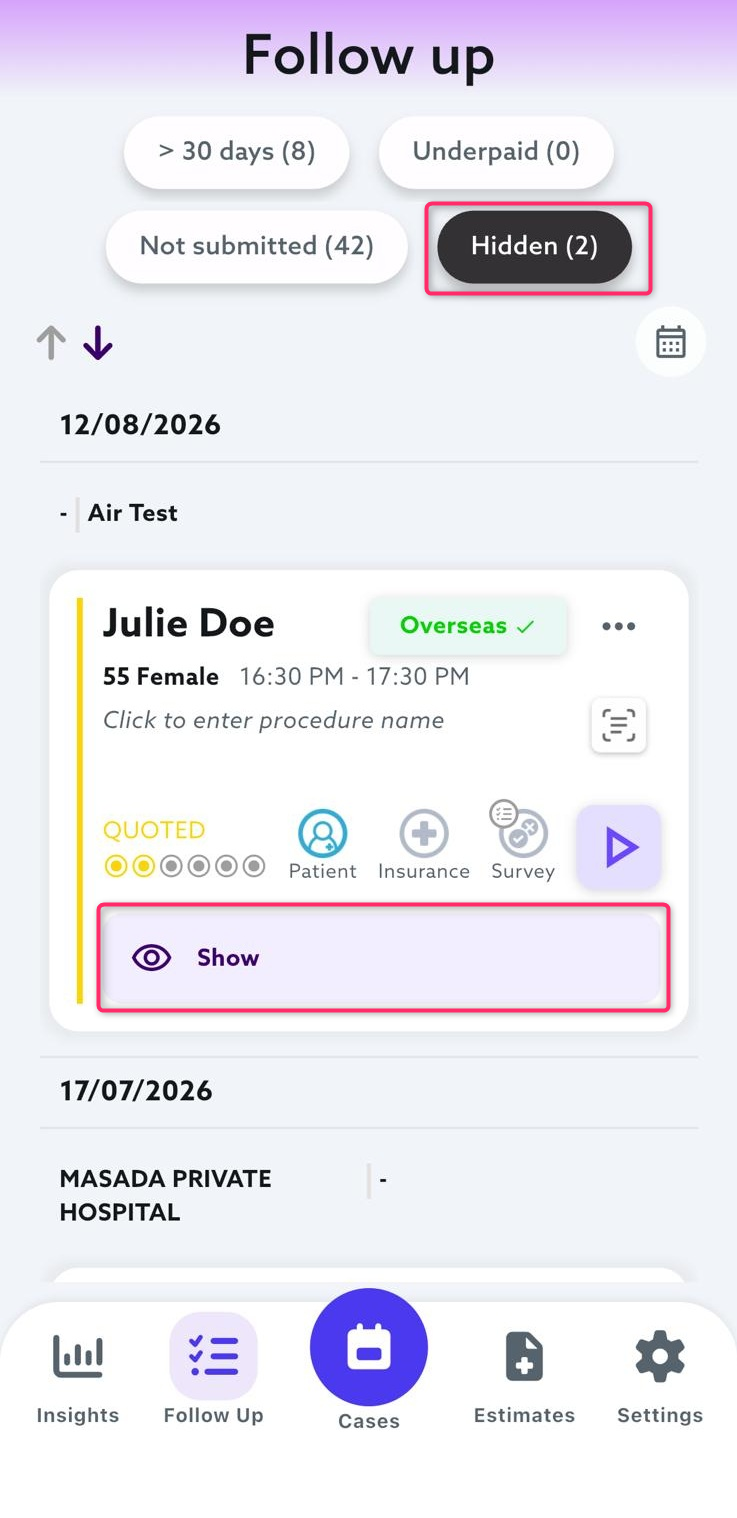
A new Hidden category in the mobile app’s Follow Up tab allows users to hide encounters they no longer need to action. Hidden encounters can be accessed later and returned to the Follow Up list using the Show Encounter option.
Encounter counts are also now displayed for each Follow Up category.
Hiding an encounter does not change its status or how it appears on the Dashboard.
Patient and Clinical Workflows
Pre-Op Medication Alerts
Responses to selected medication questions in the Pre-Op Questionnaire can now automatically generate a Patient Alert. This applies when a patient answers Yes to questions about blood-thinning medications, strong painkillers or other listed medications, including GLP-1 medications.
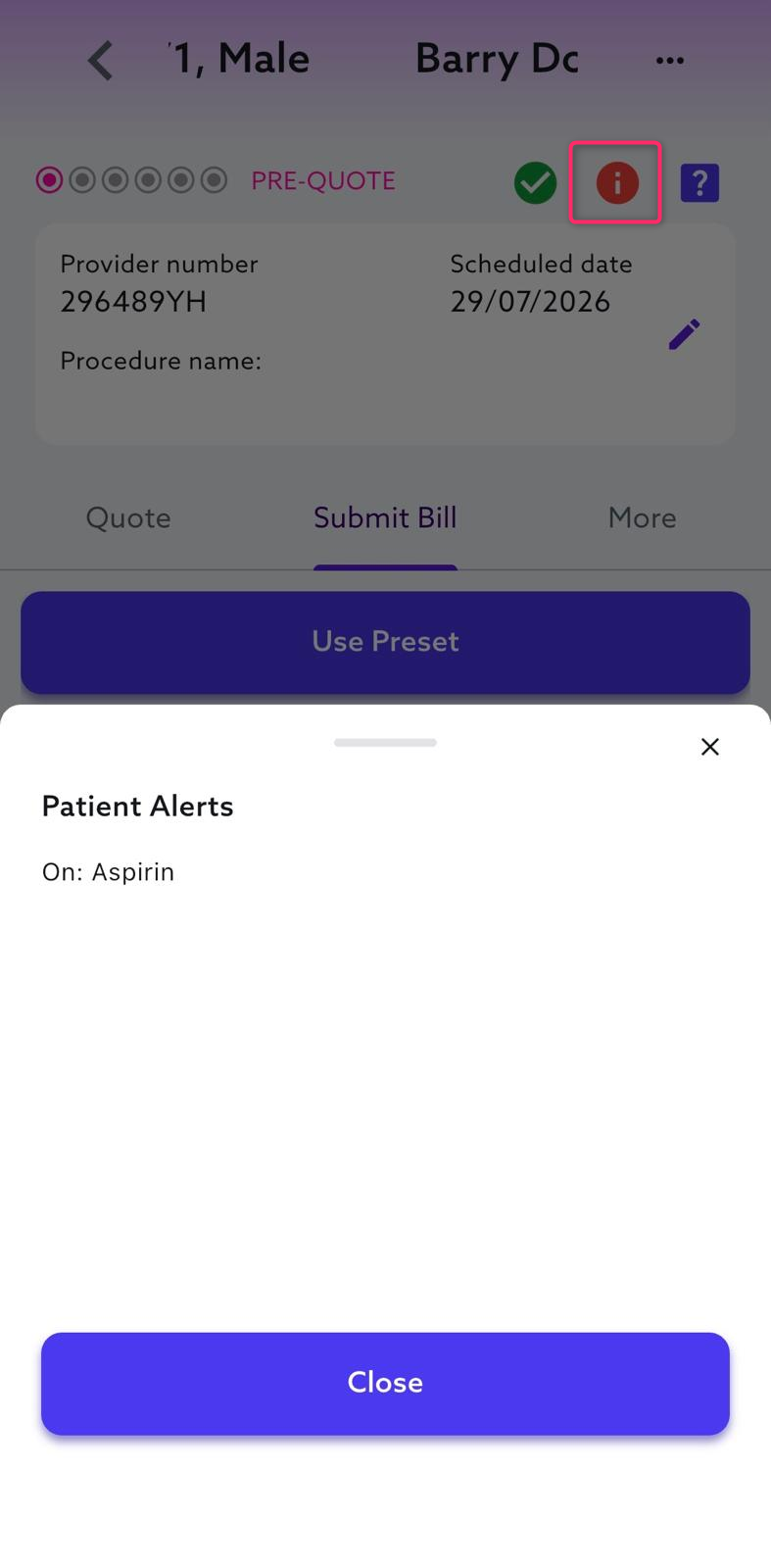
The alert displays the medication selected by the patient, such as “On: Aspirin”, making important medication information more visible to doctors.
Patient Alert Indicator
A Patient Alert indicator is now displayed in the View Encounter action ribbon when an alert exists. Alert details can be viewed by hovering over the icon on the Dashboard or tapping it in the mobile app.
Dashboard:

Mobile:
DVA Cover Level
The patient’s DVA cover category, such as Gold, White or Pharmaceutical, is now displayed in Patient Details.
Clearer Patient Name Details
Patient names can now be viewed as separate First Name, Middle Name and Last Name fields directly from the encounter.
Clearer Patient and Encounter Notes
Patient Notes and Encounter Notes are now clearly identified across the Dashboard, making it easier for admins to distinguish whether a note relates to the patient or a specific encounter.
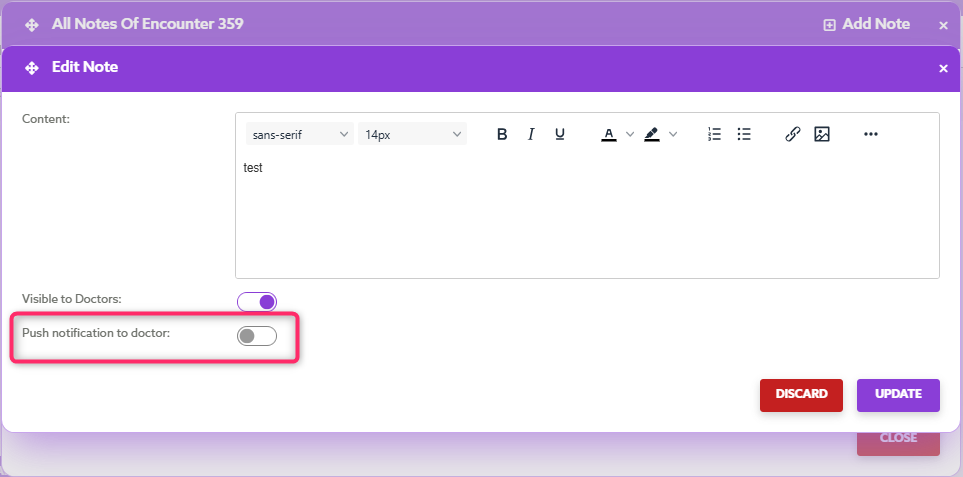
When adding an Encounter Note from a Calendar Event, admins can also select Visible to Doctors and Push Notification to Doctors.
Custom Pre-Op Questionnaire Templates
Customised Pre-Op Questionnaire templates can now be deleted from the Dashboard and mobile app.
Calendar and Event Management
Daily Planner – Duplicate Events
Users can now change the assigned user when duplicating an Event from the Daily Planner, consistent with the existing Calendar functionality.
Hospital Colour Coding
Custom colours can now be assigned to hospitals from Medical Data > Hospitals on the Dashboard. The selected colours are displayed across Calendar Events, making hospital locations easier to identify without relying on Event Categories.

Billing, Quotes and Claiming
Configurable Due Dates for Late-Created Quotes
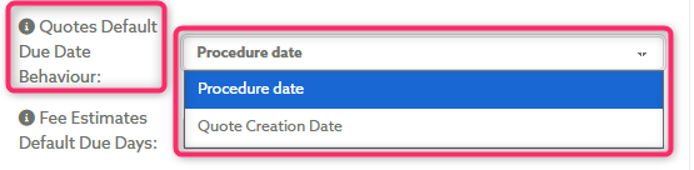
A new Group Setting allows practices to choose whether a quote created after its calculated default due date uses the procedure date or quote creation date as its due date.
Patient Claim Guidance
A tooltip now explains why the Patient Claim option cannot be selected when it is unavailable on the Dashboard.
Fee Estimate Activity Logs
Changes to Fee Estimates are now included in activity logs, providing greater visibility and traceability.
Third-Party Insurance – Paper Quote and Invoice Details
Paper Quotes and Invoices for third-party insurance with a Pre-Pay billing rule now display bank details instead of a Consent link.
Reconciliation and Reporting
Receipt ID Search
Receipt IDs can now be searched using the existing Reconciliation search fields, making it easier to locate the relevant encounter.
Reconciliation Date Filters
Date-range filters have been added to the ERAs → EFTs and EFTs → Pending Payments tables.
BAS Report – Credit Card Processing Fees
BAS reports now include credit card fees charged, fees paid and applicable GST, based on the user’s GST status.
Communications and Templates
Overdue Account Email Updates
The 1-Day Overdue email subject line now includes the account’s OOP Type, making it easier to identify whether the account is Pre-Pay or Post-Pay.
Custom Communication Templates
Admins can now create custom SMS, email, push notification and note templates for manual communications.
Fixes & Reliability Improvements
Follow Up – Patient Payment Due Totals
Patient Payment Due totals now exclude cancelled encounters, while the overall Follow Up total counts each encounter only once when it appears in multiple categories.
Follow Up – Export All
The Export All function has been updated across all Follow Up categories. It now exports every encounter within the selected category, including encounters not displayed on the current results page.
Patient Cover Details
Cover levels for Australian Unity and Doctors’ Health Fund patients are now displayed correctly on the Dashboard.
Doctor Invoice and Report Delivery
Doctor invoice and report delivery now follows the intended setting priority. Send Doctor Invoices/Reports Directly to Doctors takes precedence over Send Doctor Emails to Admin, ensuring documents are sent to the intended recipient.
Daily Planner – Horizontal View
Encounters now appear under the correct Calendar Event in the Daily Planner’s Horizontal view.
Overseas Health Fund Recognition
Supported overseas health funds are now recognised when encounter insurance details are imported. Eligible funds are matched appropriately, with the member number recorded separately to support overseas claiming workflows.
Duplicate Invoice IDs
Additional safeguards now prevent multiple invoices from being created with the same Invoice ID.
BAS and Annual Reports
Cancelled encounters are now excluded from encounter lists in quarterly BAS and annual reports.
SMS Reminder Scheduling
Invoice reminders created outside business hours are now scheduled for the intended send time.