
Anaemate Release Notes – 7 September 2026
This release includes new features, workflow enhancements and reliability improvements across the Dashboard and mobile app.
Release Highlights
Calendar Sync for Doctors
Doctors can now connect their Anaemate calendar to Google Calendar, Outlook or iCal, allowing Anaemate events and updates to appear automatically in their connected calendar.
Improved Mobile Push Notifications
Mobile notifications are now easier to review and manage, with clear read and unread indicators, new filters, a Mark All as Read option and an unread notification count on the main screen.
Mobile App and Communications
Push Notification Improvements
Push notifications are now easier to manage in the mobile app:
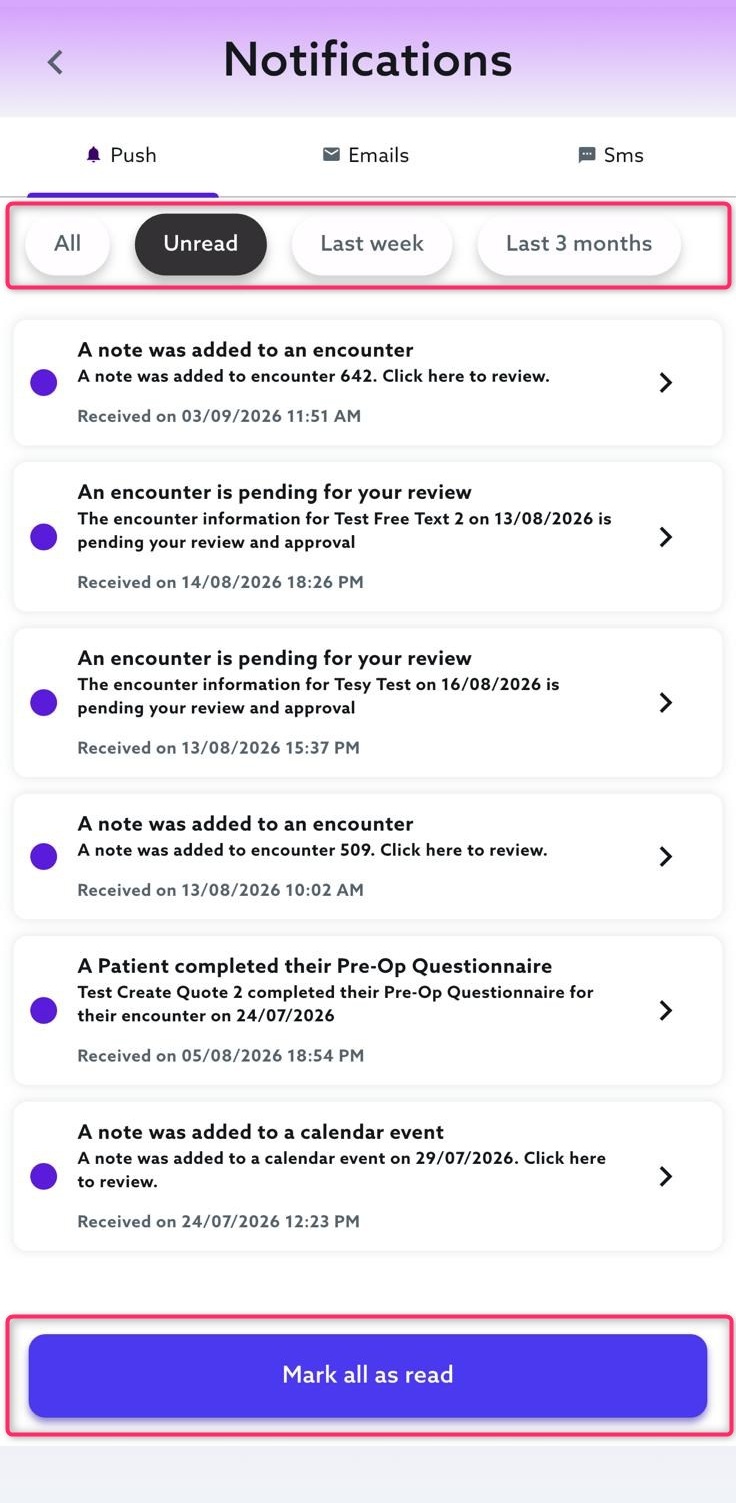
Read and unread notifications are clearly identified.
Notifications can be filtered by All, Unread, Last Week or Last Month.
A new Mark All as Read option is available.
Opening a notification automatically marks it as read.
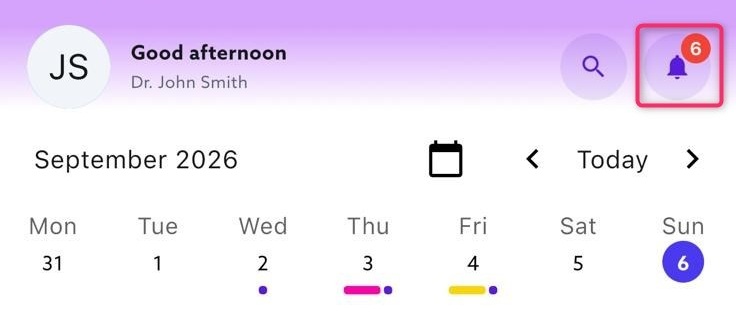
The notification icon now displays the number of unread notifications.
Expanded Search in Fee Estimates
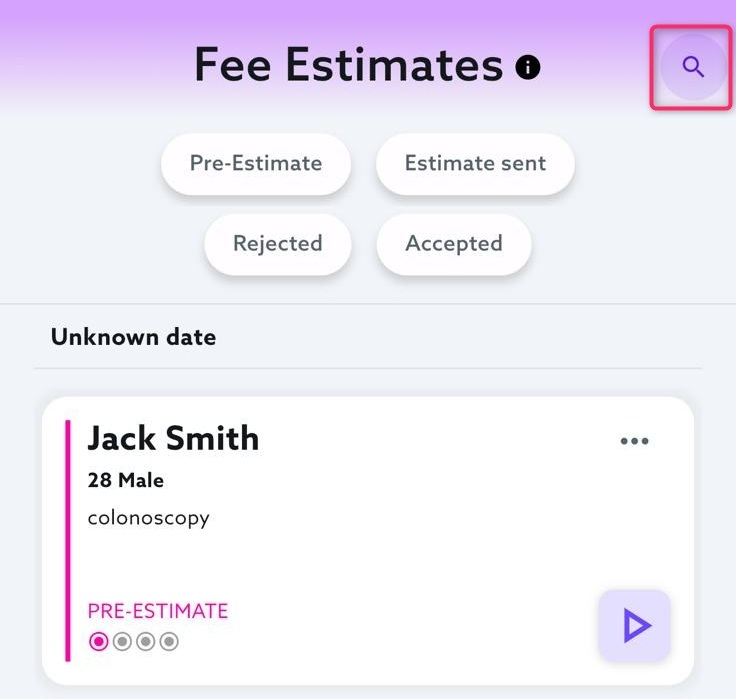
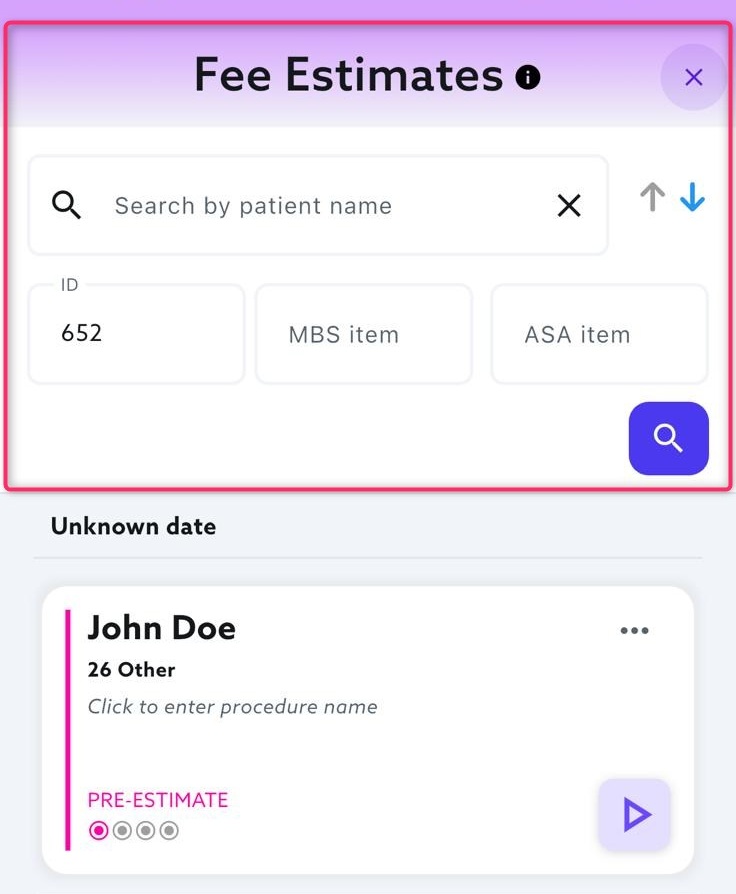
Fee Estimates in the mobile app now include more ways to find an existing estimate. Users can search by a full or partial patient name, patient ID, MBS item number or ASA item number within the selected Fee Estimate status.
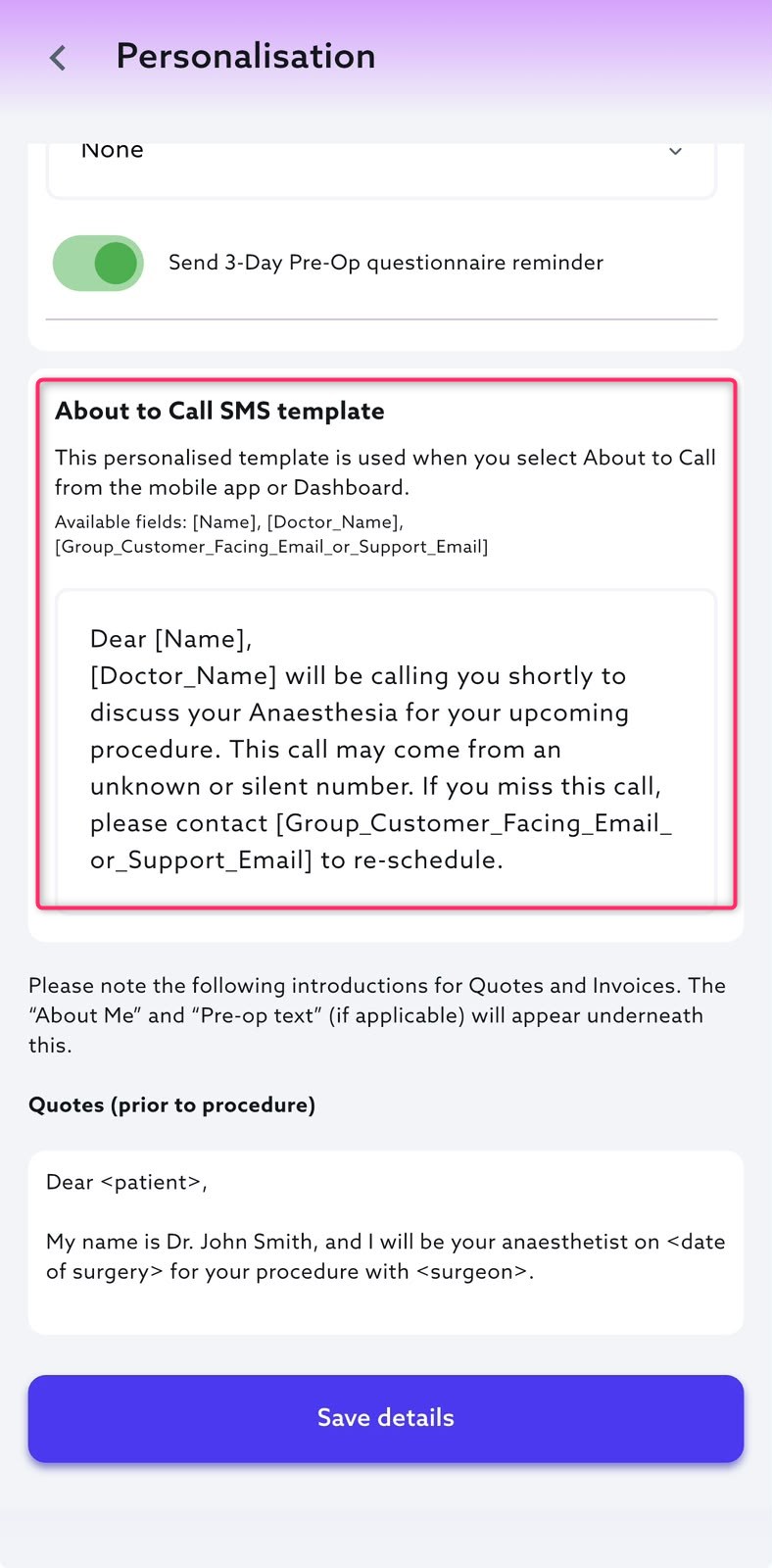
Personalised “About to Call” SMS Templates
The personalised About to Call SMS template setting previously introduced on the Dashboard is now available in the mobile app.
Users can create or update their template under Settings → Personalisations. The same template will be used when sending an About to Call SMS from either the mobile app or Dashboard.
This is only available for Anaemate Group and Premium users.
Calendar, Lists and Events
Calendar Sync for Doctors
Doctors can now connect their Anaemate calendar to Google Calendar, Outlook or iCal. Calendar integration is available under Settings in the mobile app and Doctor Settings → Calendar on the Dashboard.
This is a one-way sync. Anaemate calendar events and subsequent updates, including cancellations, are automatically reflected in the connected calendar. Synced events include key scheduling details and procedure counts, but patient names are never shared.
Doctors can view their connection status or disconnect their calendar at any time.
This is the first release of Calendar Sync, and we will continue improving the experience over time. Setup guides will be provided soon to help doctors connect their calendars
Calendar Category Visibility
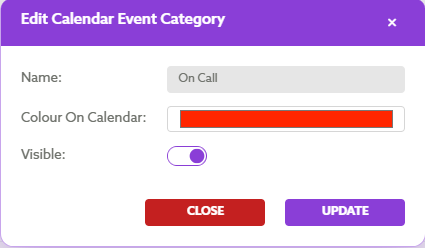
Groups can now control which calendar categories appear when creating or editing Events. A new Visible toggle is available under System → Calendar Categories, allowing unused or duplicate categories to be hidden from the Events category list.
Upload List
To reflect support for multiple file types, Upload List PDF has been renamed Upload List across the Dashboard
Patient and Clinical Workflows
Pain Procedure Billing
A new Pain Procedures encounter type is available on the Dashboard and mobile app. Pain specialists can create encounters and bill supported MBS and AMA pain procedure codes using the relevant billing rules.
Patient communications have also been updated to reflect pain physician services.
Standalone Patient Records
Administrators can now create a patient record from the Dashboard without creating an encounter or Fee Estimate. This allows patient information and relevant documents, such as referral letters and test results, to be stored before a procedure has been booked.
The patient’s first name and date of birth are mandatory. Insurance details can also be added but are optional and can be updated later.
When an encounter or Fee Estimate is created, the existing patient record can be matched and selected.
This functionality is currently available through the Dashboard only.

Surgeon Preferred Names
A preferred name can now be assigned to a surgeon under Medical Data → Surgeon Preferred Names.
Once configured, the surgeon’s preferred name will be displayed across encounters and relevant patient communications instead of their registered name.
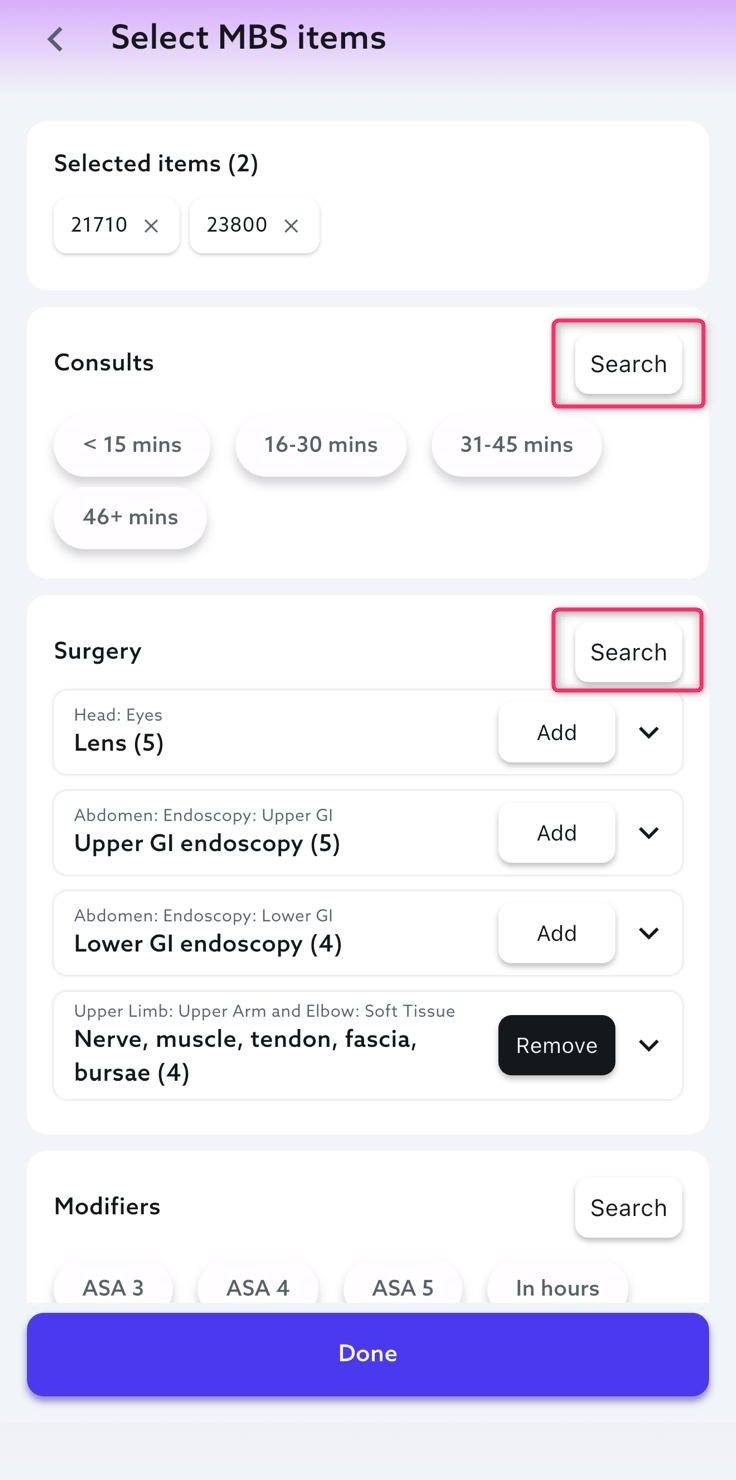
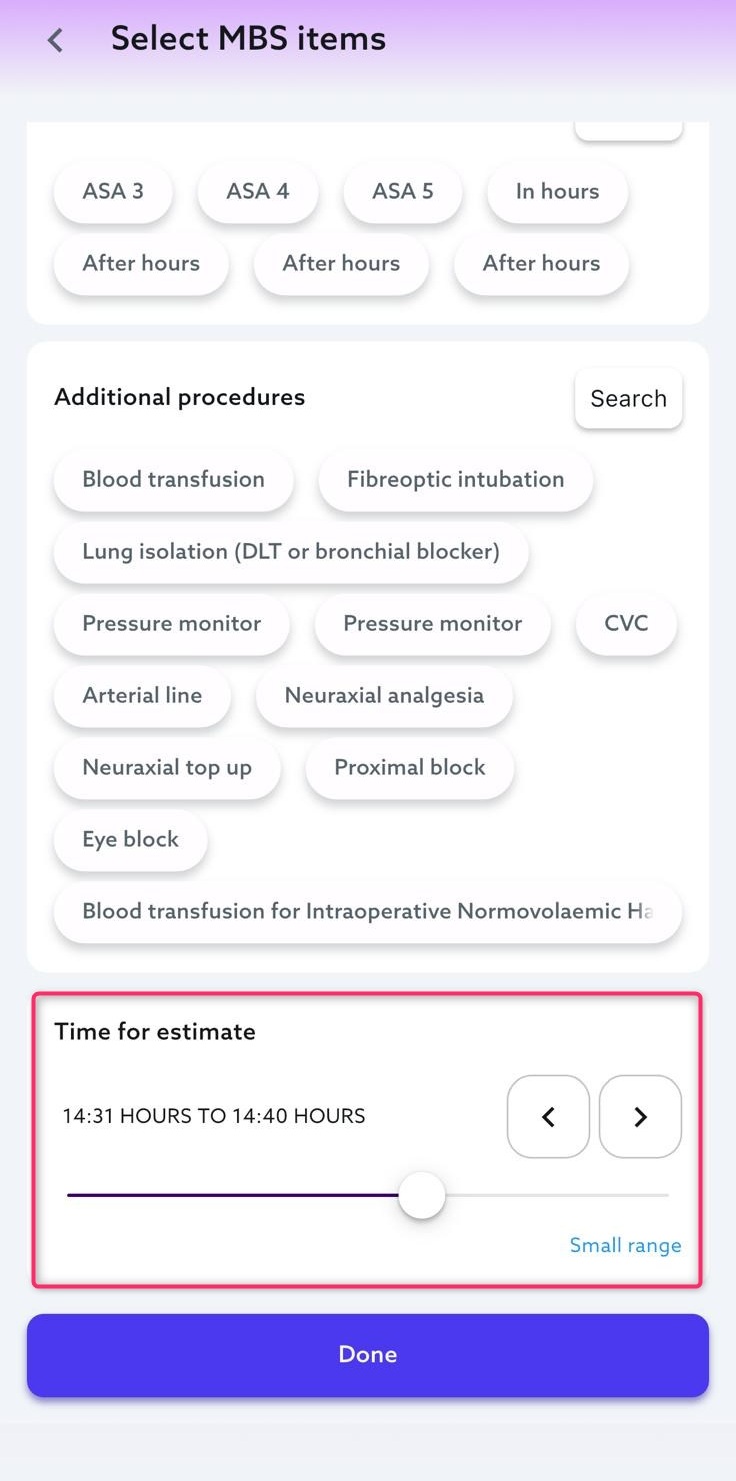
Improved Item Selection for Presets
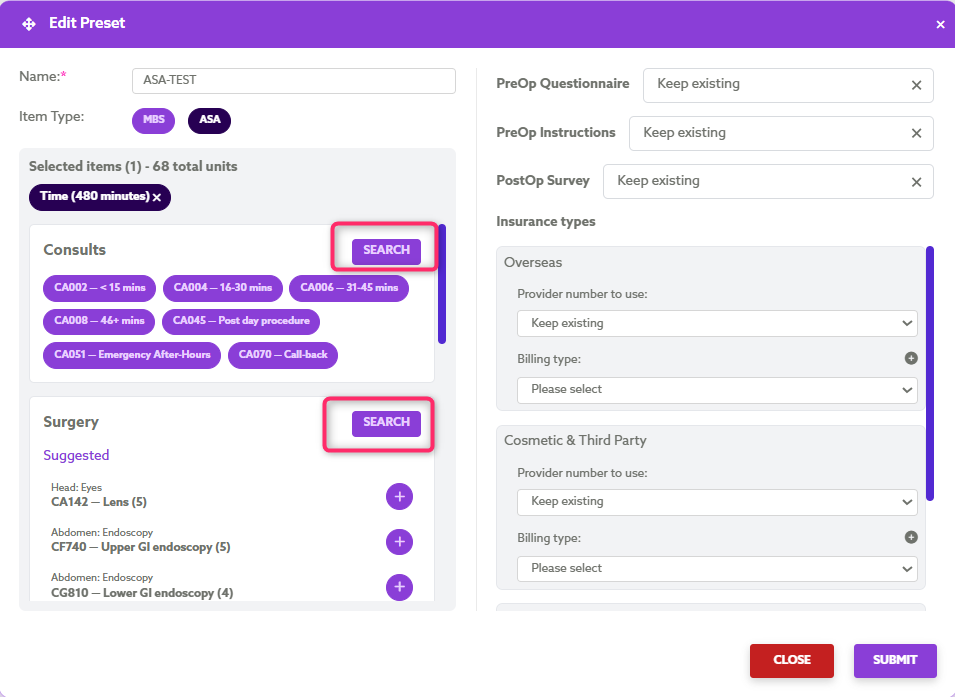
Creating and editing Presets is now easier with a new item selector available on both the Dashboard and mobile app.
Users can browse suggested items by category, search for additional items, and add or remove selections without manually entering exact item numbers.
Dashboard:
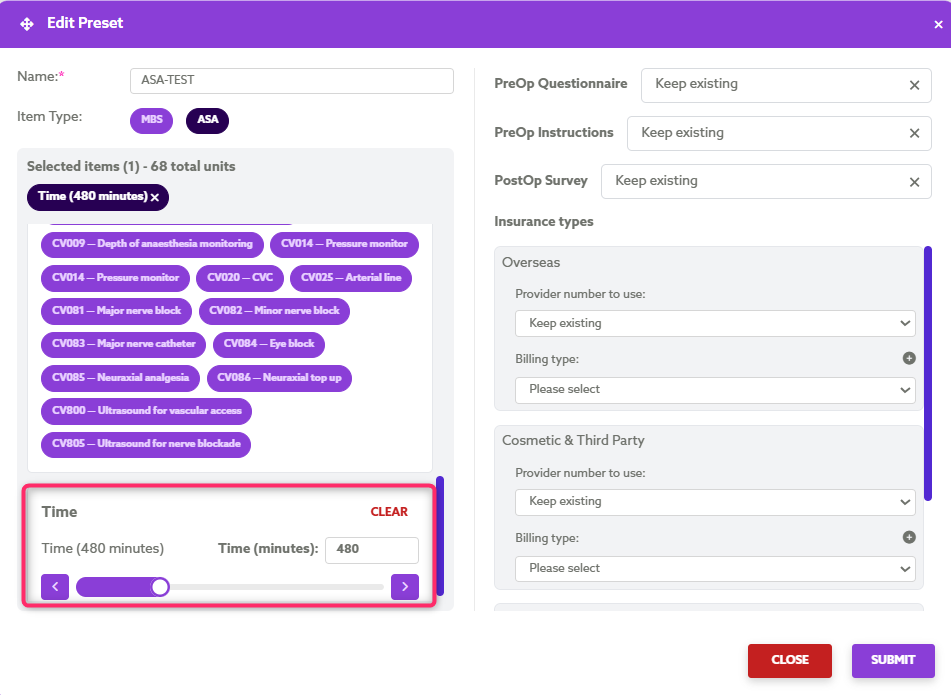
Mobile:
Billing, Invoices and Payments
Improved Invoice Management
When a new invoice is created for an encounter, the previous invoice is automatically cancelled and any existing payments are transferred to the new invoice.
This ensures there is only one active invoice with the correct outstanding balance and payment history.
Increased Processing Fee Limit for Paper Invoices
The previous $30 processing fee limit has been removed from the Create Paper Invoice option. Users can now enter the required processing fee, including fees associated with sending an invoice to a debt collection agency.
Improved EFT Selection for Manual ERA Reconciliation
When manually matching an ERA to an EFT, the search field is now blank by default and only relevant EFT records are displayed.
This makes it easier to find and select the correct EFT without clearing pre-filled search details or sorting through unrelated records.
Patient Portal Payment Actions
The Pay Now/Consent action button has been removed from quotes and invoices viewed through the Patient Portal. This prevents patients from being redirected through the identification process again and provides a clearer experience.
Payment Variance Threshold
The existing Underpayment Threshold has been renamed Variance Threshold and expanded to cover both underpayments and overpayments.
The configured amount applies equally in both directions. For example, a threshold of $0.15 will automatically treat variances between -$0.15 and +$0.15 as reconciled, removing the need to manually clear minor discrepancies.
Variances exceeding the configured threshold will continue to appear as underpaid or overpaid for review.
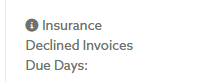
Custom Payment Terms
Groups can now set separate invoice payment terms for Insurance Declined and Top-Up invoices under Group Details.
The relevant due date is automatically applied to both the invoice and patient communication. If no specific terms are configured, the group’s standard invoice terms will apply.
Follow Up and Document Management
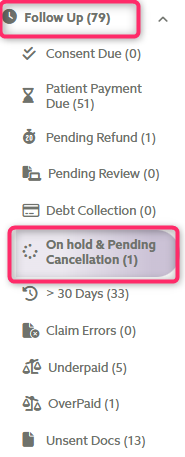
Notes Available in On Hold
Encounter notes can now be accessed directly from the On Hold sub-tab in Follow Up.
Select the Notes icon to view the full note history or add a new note without leaving the page.

Document Type Filter in Unsent Docs
The Unsent Docs tab now includes a filter for displaying Quotes, Invoices or both. Quote and Invoice is selected by default, making it easier to focus on the required document type.

Follow-Up Record Management
Admins can now hide or unhide records within the Unsent Docs and Over 30 Days Follow-Up categories.
This only changes the record’s visibility within the Follow-Up tab and does not affect the encounter or its underlying data.
Encounter IDs on Pre-Op Questionnaires
Generated Adult and Paediatric Pre-Op Questionnaire PDFs now display the Encounter ID in the header of every page.
This makes it easier to identify printed pages and match them to the correct encounter.
Reports
Payment Summary Included with Quarterly BAS Reports
Quarterly BAS report emails now include the Payment Summary for the same reporting period.
The accompanying Excel file has also been simplified by removing unnecessary columns and now includes totals for Amount, GST and Total.
Fixes & Reliability Improvements
Billing Code Updates for Unpaid Invoices
MBS and ASA item codes can now be changed on encounters with an unpaid invoice. Selecting Save & Re-refresh updates the existing invoice while retaining the same invoice number, removing the need to delete and recreate it.
A confirmation message is displayed before the changes are applied. Billing code changes remain restricted once a payment has been confirmed.
Workers’ Compensation Invoice Delivery
Resolved an issue where Workers’ Compensation invoices were not always emailed to the insurer automatically after an encounter was submitted. Invoices are now sent as expected without requiring users to manually select Claim from the Dashboard.
Patient Details Update Link Warning
Sending a previously created quote or invoice could deactivate an active Update Patient Details link without warning is now resolved.
Users are now prompted to either cancel the update request and send the document or wait until the patient has completed the request or the link has expired.
Full Patient Address Displayed in the Mobile App
The issue where the Patient Details section only showed the street address has been fixed. It now displays the full postal address, including suburb, state and postcode.
Improved Insights Data Accuracy
Inconsistencies between the encounter and payment totals shown in Insights and the corresponding figures in Patient Encounters and Reports have been addressed. Totals are now calculated and displayed consistently across all areas for the same reporting period.
Encounter Sorting After List Upload
An issue was preventing encounters from being reordered after selecting Review Encounters from an uploaded list in Doctor → Lists. Users can now sort Patient Encounters as expected.
Accurate Payment Messaging on Quotes
Payment instructions on Quote and Preliminary Invoice PDFs now reflect the selected billing configuration. Warnings and health fund claim information are displayed only when relevant, preventing incorrect due-date messaging for Post-Pay and No-Gap billing arrangements.
Event List Attachments
Moving an encounter to an Event on another date was causing the original list PDF to appear on both Events. Now the encounter moves on its own, and the list PDF remains with the original Event.
GST Display on Updated Invoices
An issue where GST added after an invoice was created wasn’t appearing in the encounter’s Invoice breakdown has been corrected. The GST amount and the GST‑inclusive total now display properly once the invoice is regenerated.
Encounter Ordering Within Events
Encounters within an Event did not retain their updated order and could be removed from the Event unexpectedly. Encounters now remain associated with the Event and are displayed by estimated time, with the earliest listed first.
No-Gap Batch Payment Reconciliation
Missing invoices and receipts for No‑Gap claims in batch payments were preventing reconciliation. Invoice and rebate details are now kept correctly, allowing the payment to be matched and reconciled.
Payment Reminder SMS Timing
Overdue payment reminders were being sent outside business hours. Payment Due Today and overdue reminders are now sent during business hours, while Payment Due Tomorrow reminders can still be sent outside those hours. Fallback rules ensure patients receive an appropriate reminder if an earlier message wasn’t sent.