
Anaemate Release Notes – 22 September 2026
This release includes new features, workflow enhancements and reliability improvements across the Dashboard and mobile app.
Reports and Payments
Redesigned BAS Quarterly Payment Report
The BAS Quarterly Payment Report now shows payments received during the selected quarter, with a transaction-level breakdown of gross payments, GST, processing fees and net amounts received.
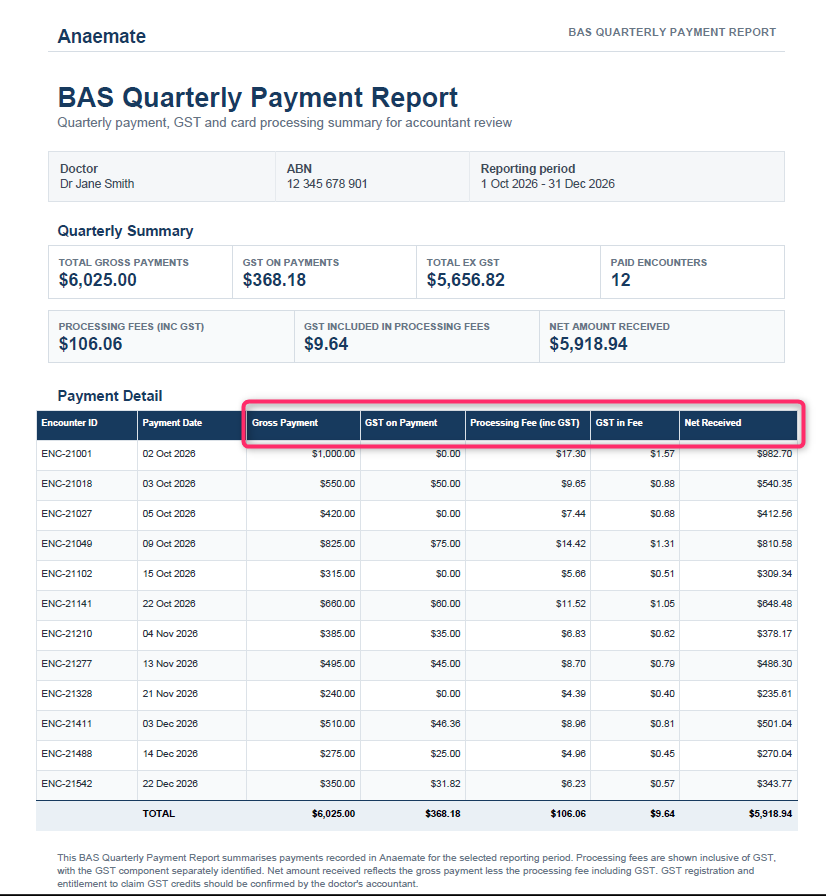
Clearer Processing Fee Breakdown
Payment records now show processing fees as a deduction from the gross payment, with the net amount received clearly displayed.

Calendar and Events
Improved Calendar Event View
Event details now remain pinned at the top of the dashboard calendar while viewing the associated encounters.
Duplicate List Upload Warning
A clear message now appears when the same list is uploaded to an event again, confirming that the list has been queued for processing.
Calendar Weeks Now Start on Monday
The dashboard calendar now starts each week on Monday instead of Sunday, aligning it with the mobile app.
Patient Communications and Access
Patient Portal Access for Debt Collection
When an encounter is moved to Debt Collection, patient portal access is automatically disabled to prevent direct payment through Anaemate. The invoice remains active.
Notifications for Edited Pre-Op Questionnaires
Users now receive a push notification when an administrator edits a patient’s pre-op questionnaire, based on their existing notification preferences.
Account and Group Management
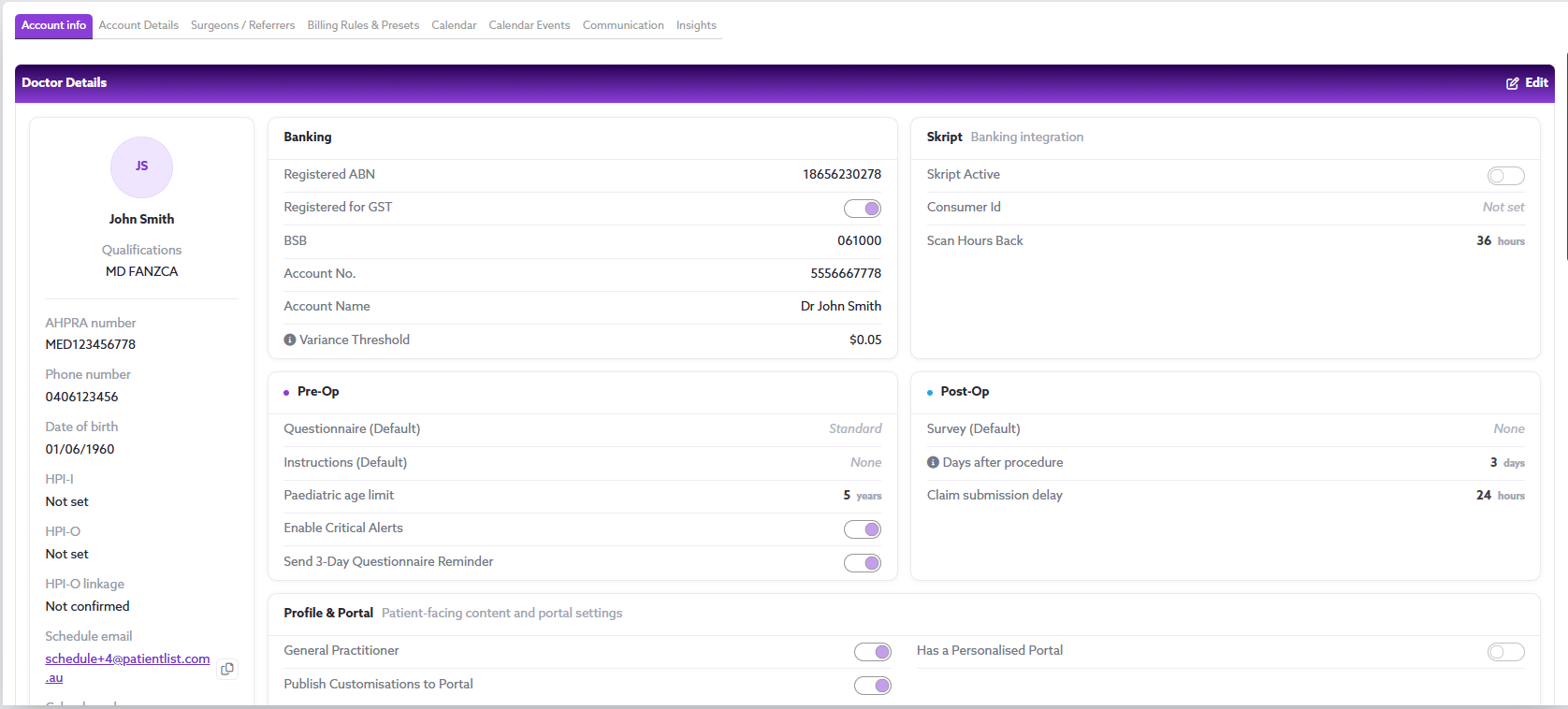
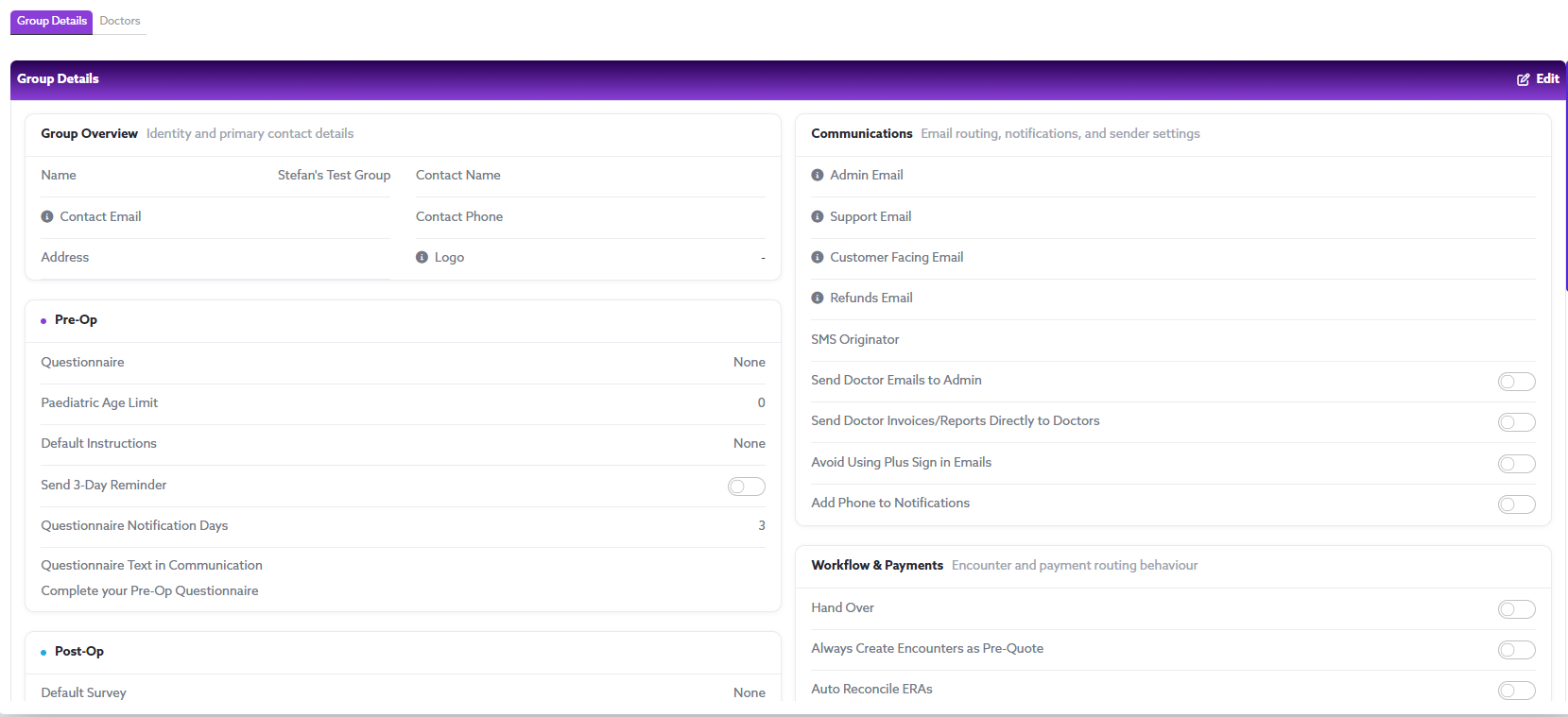
Updated Account and Group Details Pages
The Account Details and Group Details pages have been refreshed with a cleaner, more professional layout.
Activity Logs
Activity Logging for Paper Quote and Invoice Requests
The Activity Log now records when Get Paper Quote/Invoice is selected, including the user, date and time.
Activity Logging for Questionnaire Edits
Edits to submitted patient questionnaires are now recorded in the encounter’s Activity Log, including the user, date and time.
Fixes & Reliability Improvements
Reordering Patients in Theatre Lists
Patients can now be reordered within a theatre list without their estimated times changing incorrectly or causing them to appear in the wrong position or disappear from the list.
Upload List Processing Message
The Upload List processing message will now only appear while a list is actively being processed, rather than appearing when no list is attached or processing has already been completed.
Calendar Month View Event Display
Events and standalone encounters will now display correctly within each day in the calendar’s Month View, including items previously hidden behind the “+1 more” indicator.
Print Label Display
Postal and Clinical labels will now display the correct patient information when selected from an encounter, allowing administrators to preview and print either label type.
Overseas Encounter Filtering
The Patient Encounters table will now display all active encounters matching the selected Overseas insurance type and Manual-claim health fund filters.
Default Health Fund Cover in the App
When Australian Unity or Doctors’ Health Fund is selected for an encounter in the app, the level of cover will now automatically match the user’s configured default.
Free-Text Items for Third-Party Fee Estimates
Free Text can now be selected when adding items to third-party payer fee estimates from the dashboard, alongside the existing MBS and ASA options.
Activity Log User Initials
The User column in encounter Activity Logs will now display the initials of the person who performed the action.
Third-Party ASA Unit Values
For third-party encounters using ASA codes, users can now enter any unit value of 40 or above. Values below the minimum will automatically revert to 40.
Workers’ Compensation Invoice Emails
Invoices for Workers’ Compensation encounters will now be automatically emailed to the insurer when the encounter is submitted, without requiring users to manually select Claim from the dashboard.
EFT Payments in ERA Reconciliation
Corresponding EFT payments will now display in the available ERAs table when reconciling an Electronic Remittance Advice (ERA).
Returning Patient Recognition from Sticker Scans
When creating an encounter from a scanned patient sticker, the system will now recognise matching returning patients and link the encounter to their existing patient record rather than creating a duplicate.
Billing Code Updates for Unpaid Invoices
MBS and ASA item codes can now be changed on encounters with an unpaid invoice. Selecting Save & Re-refresh updates the existing invoice while retaining the same invoice number, removing the need to delete and recreate it.